What focus needs to do
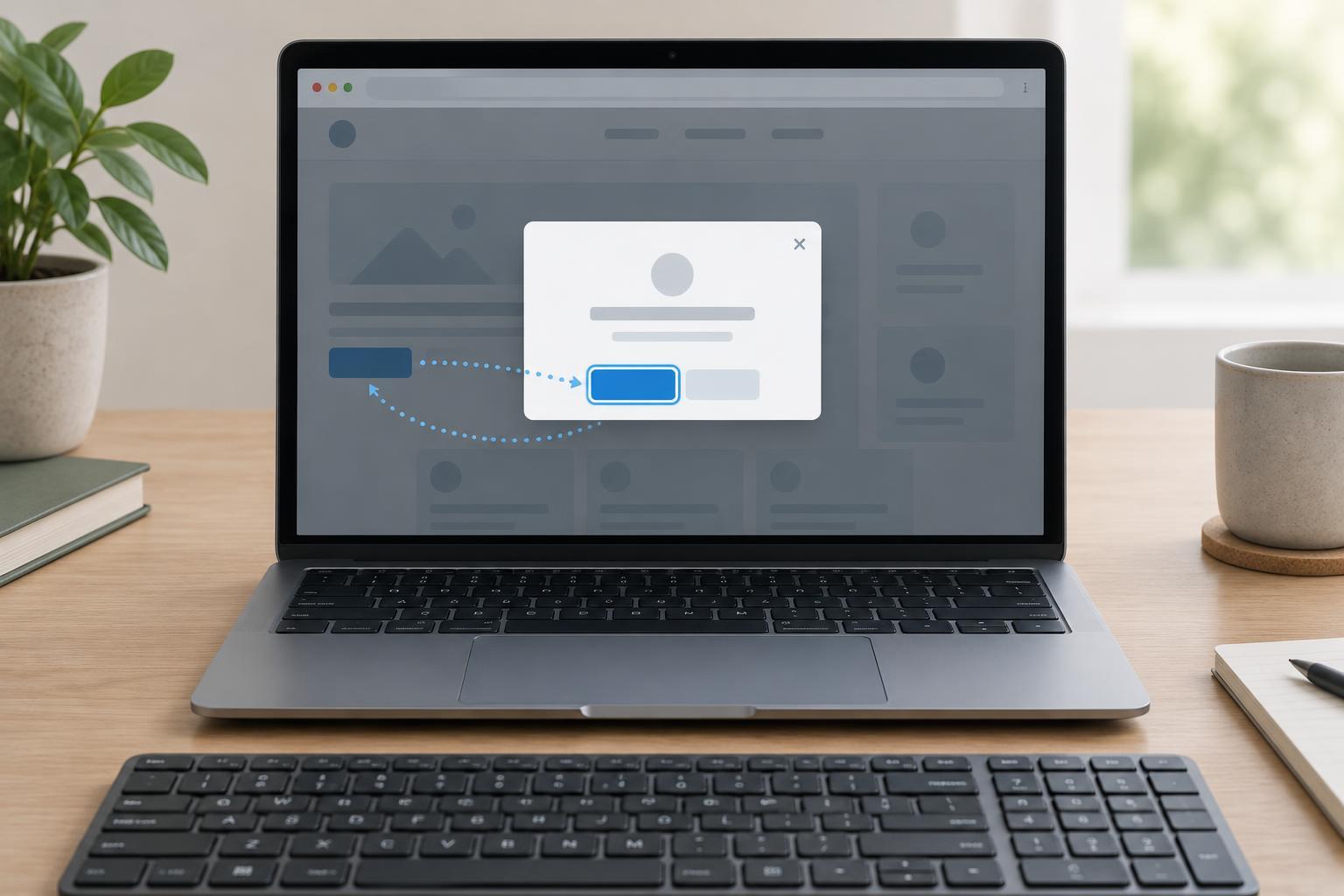
Opening a modal changes what a person can interact with. If keyboard focus remains on the page behind the dialog, someone using a keyboard may continue tabbing through controls they cannot see or use. When the dialog closes, leaving focus on a control that has disappeared is confusing. A useful focus plan has three parts: move focus into the dialog when it opens, keep interaction within the modal while it is open, and return focus to a meaningful place afterward.
The examples here assume a browser environment with native HTML dialog support and ordinary DOM event listeners. They use a dialog opened with showModal(), rather than a custom panel made visible with CSS. That distinction matters: showModal() gives the dialog modal behavior, including making the rest of the document unavailable for interaction while it is open. Merely adding an open attribute or changing display does not provide the same behavior.
Choose an initial focus target
Give the dialog an accessible name, such as a visible heading referenced by aria-labelledby, and include an obvious close button. Then decide where focus should land. In a short settings dialog, the first useful field may be the right choice. In a confirmation dialog, a non-destructive action may be safer than focusing the action that deletes something. For a dialog with substantial introductory text, focusing its heading can help users encounter the context before the controls; make that heading programmatically focusable with tabindex="-1".
Do not assume that the first focusable element is always the best target. An explicit choice makes the intended experience easier to review. For example, if the dialog contains a field with the id settingName, the opening handler can call dialog.showModal() and then document.querySelector("#settingName").focus(). The field must exist and be focusable. If the dialog has no suitable control near the beginning, focus the dialog itself or its heading instead.
Avoid positive tabindex values to force a custom tab order. Arrange controls in a logical document order so keyboard navigation follows the visible task. Keep instructions concise; a long description attached to the dialog as one accessible description may be less useful than text people can navigate within the dialog.
Restore focus when the dialog closes
Before opening the modal, remember where focus should return. For a dialog opened by one button, that button is usually the best target. Suppose the page has an openSettings button, a settingsDialog dialog, and a closeSettings button. The opening handler can save the opener, call settingsDialog.showModal(), and focus the chosen control inside it. The close button’s handler can call settingsDialog.close(). Listen for the dialog’s close event to restore focus, rather than restoring it only in the close button’s handler: the close event also covers other ways the dialog may close, including the browser’s Escape-key behavior.
A compact JavaScript pattern is: let returnTarget; openSettings.addEventListener("click", () => { returnTarget = openSettings; settingsDialog.showModal(); document.querySelector("#settingName").focus(); }); closeSettings.addEventListener("click", () => settingsDialog.close()); settingsDialog.addEventListener("close", () => { if (returnTarget?.isConnected) returnTarget.focus(); }); This assumes each named variable refers to its corresponding DOM element and that settingName is inside the dialog.
If several buttons can open the same dialog, save event.currentTarget in the opening handler instead of always saving one button. If closing the dialog removes its opener—for example, after deleting an item—choose a nearby, persistent destination such as the next item’s action or the list heading. Check that the target still exists before focusing it. The goal is not to return focus mechanically, but to help the person continue from a predictable place.
Test the complete keyboard journey
Test from the page, not just from inside the dialog. Use Tab to reach the opener and activate it with Enter or Space. Confirm that focus moves to your intended starting point, Tab and Shift+Tab reach the dialog’s controls in a sensible order, and focus does not move to page controls behind the modal. Close it with its visible close control and confirm that focus returns to the opener. Reopen it and press Escape; focus should have a sensible destination on that path too.
Repeat the test when the dialog’s contents change, when validation adds a message, and when the action that opened it disappears. Check that a person can identify the dialog’s name and close control with a screen reader, rather than relying on visual placement alone. Native modal behavior removes much of the work of building a focus trap, but it does not choose the best starting and ending points for your particular task. Those decisions remain part of the interface design.